How to set up NASDAQ stock alerts and watchlists from India
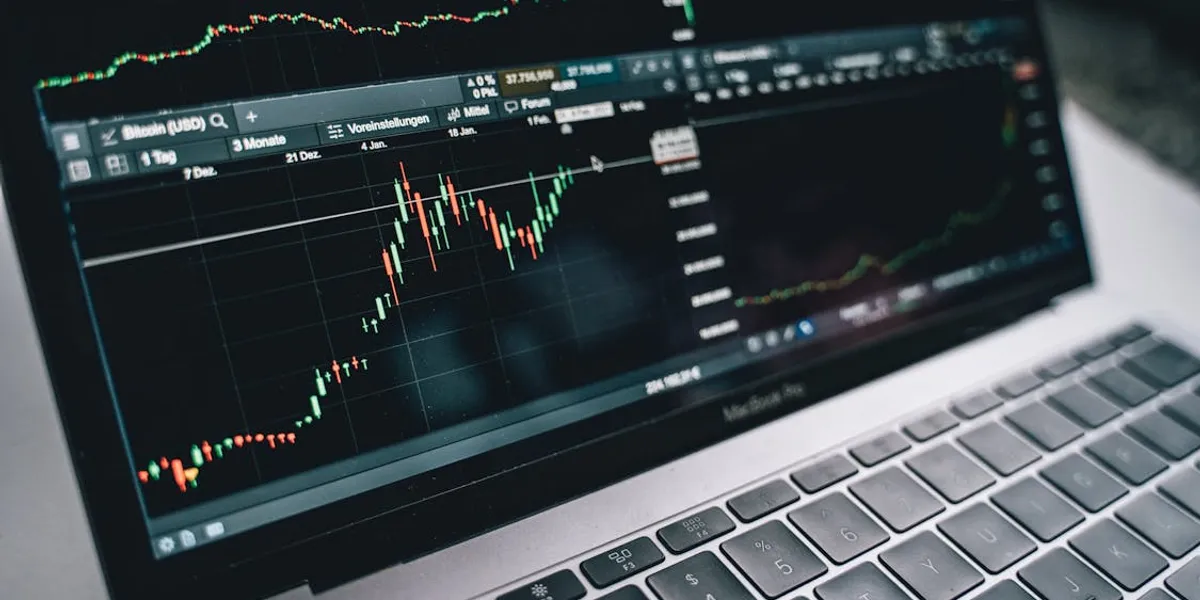
NASDAQ trades between 7:00 PM and 1:30 AM IST during daylight saving time. That means most Indian investors sleep while the US markets move. Intelligent alerts and well-organised watchlists solve this problem. They track prices, flag earnings events, and send push notifications while you rest.
This guide walks you through the best stock alert apps India has access to, step-by-step alert setup, watchlist creation, and portfolio tracking integration — all tailored for Indian investors in 2026.
Best alert tools and apps for Indian NASDAQ investors

You need two layers of tools to track NASDAQ stocks from India. Global platforms deliver powerful charting and alerts. India-specific apps handle trading, INR conversion, and LRS compliance.
TradingView leads the pack for technical price alert tools. It lets you set alerts based on price levels, indicator crossovers like RSI or MACD, and even hand-drawn trendlines. The free plan gives you 2 active alerts. Paid plans start at roughly $12.95 per month and scale up to 2,000 alerts on the Ultimate tier. Real-time NASDAQ data costs an extra $2 to $5 per month. TradingView added AI-powered chart pattern recognition in 2025 for premium subscribers.
Investing.com stands out as the strongest free option for Indian investors. It covers over 300,000 instruments with generous free alerts for price, percentage change, volume, and earnings. The India edition at in.investing.com includes an economic calendar with RBI decisions. The premium tier, InvestingPro, starts at approximately $9 per month and consists of the WarrenAI chatbot and ProPicks AI stock selection.
Yahoo Finance offers unlimited free watchlists that sync across web and mobile. Price alerts are available only through the mobile app. Yahoo restructured its premium plans in 2025 into Bronze ($7.95 per month), Silver ($19.95), and Gold ($34.95) tiers. The free version handles basic watchlist and alert needs well.
Google Finance requires only a Google account and costs nothing. It supports unlimited watchlists with live quotes. Google rolled out Deep Search for Finance in 2025, powered by Gemini AI. This feature delivers AI-driven stock analysis directly within search results. While Google Finance lacks built-in push alerts, you can pair it with Google Alerts for email-based news notifications on any ticker.
For India-specific platforms, INDmoney offers the most complete package. It combines US stock trading, custom price alerts, daily market notifications, and portfolio tracking with automatic INR-to-USD conversion. Trading costs 0.25% per trade, capped at $25, with zero platform fees. Vested Finance provides watchlists, tax loss harvesting, and extended-hours trading on premium plans. Winvesta offers a tiered model, starting with a free Lite plan covering 300 stocks, then scaling to Pro at $30 per month, which includes over 11,000 stocks.
If you are exploring how to buy NASDAQ stocks directly, Winvesta's guide to buying individual NASDAQ stocks from India covers the entire process, from account setup to placing your first order.
How to set price alerts step by step
TradingView
Open any NASDAQ stock chart. Click the bell icon in the top toolbar, or right-click a price level and choose "Add Alert." You can also press Alt+A on Windows or Option+A on Mac. Set the condition to Crossing Up, Crossing Down, Greater Than, or Less Than. Enter your target price. Choose how often the alert fires — once, every time, or until cancelled. Pick your notification method from push, email, browser popup, sound, or webhook. Click "Create" to save.
For advanced setups, draw a trendline on the chart. Right-click the line and select "Add Alert on Horizontal Line." The alert triggers when the price touches your drawn level. You can combine price conditions with indicator thresholds for multi-condition alerts.
Yahoo Finance mobile app
Search for a NASDAQ ticker. Open the stock summary page. Tap the bell icon. Enter your target price and tap "Create." Make sure push notifications are enabled in your phone settings under Yahoo Finance. Alerts only work through the mobile app, not the website.
Investing.com
Navigate to any stock page. Click the plus icon at the top right. Select your alert type — price variation, change percentage, earnings results, or volume threshold. Set the parameters and click "Create." Manage all active alerts through the Alerts Centre. Enable email notifications by checking the box in the Alerts Centre settings. Alerts sync automatically across desktop and mobile.
INDmoney
Search for any NASDAQ stock inside the app. Add it to your watchlist. Set a price alert directly from the watchlist view. The app sends daily US market alerts and flags significant price changes for your holdings. All prices are displayed in INR with live conversion rates.
Creating watchlists that actually work
A good watchlist creation strategy uses multiple tools together. Start with Google Finance for a free, always-accessible master list. Add TradingView for chart-integrated technical watchlists. Use your India brokerage app — INDmoney, Vested, or Winvesta — for trade-ready lists with INR conversion.
Organise each watchlist by theme. Create separate lists for sectors such as technology or healthcare, strategies such as growth or dividends, and timeframes such as short-term trades or long-term holds. Keep each list to 10-20 stocks to make management easier.
Add useful columns to each watchlist: current price, daily percentage change, P/E ratio, 52-week range, and market cap. Review your watchlists weekly. Remove stocks that no longer match your thesis. Add new opportunities as they emerge.
For a centralised view across platforms, use Google Sheets with the GOOGLEFINANCE function. Pull live prices with formulas like =GOOGLEFINANCE("AAPL", "price") and add =GOOGLEFINANCE("CURRENCY: USDINR") for automatic rupee conversion. This creates a custom dashboard accessible from any device.
News and earnings alert setup
Earnings season hits NASDAQ stocks four times a year. Missing a report can mean waking up to a 10% gap. Proper earnings alert setup prevents surprises.
On Investing.com, open any stock page and create an alert with "Earnings Results" as the type. This sends a notification before and after the company reports. Yahoo Finance automatically notifies you about earnings for stocks you follow when you enable "Events" in notification settings.
Seeking Alpha sends email alerts for earnings calls, transcripts, and new analyst articles on stocks in your portfolio. Its Quant Ratings system flags changes in fundamental quality, helping catch downgrades early.
Google Finance now shows upcoming earnings calendars with live audio streams of earnings calls and real-time transcripts. This 2025 upgrade is especially valuable for tracking results that drop during Indian late-night hours.
For SEC filing alerts, the free tool CapEdge delivers email notifications within minutes of new filings. Benzinga Pro offers an audio squawk feature that announces breaking news aloud — handy when you are monitoring US markets during late IST hours.
Set up Google Alerts at google.com/alerts with queries like "AAPL earnings" or "NVIDIA quarterly results" for email delivery as events happen.
Portfolio tracking integration across platforms
Tracking a US stock portfolio from India adds a currency layer that most global tools ignore. The best portfolio tracking integration options account for INR conversion, tax obligations, and multi-broker holdings.
INDmoney provides the smoothest experience. It shows XIRR returns adjusted for different investment dates and currency fluctuations. You get S&P 500 benchmarking, sector allocation breakdowns, and a calendar-based profit and loss view — all in INR.
Vested Finance displays rupee-denominated performance with growth history charts. Its tax module generates ITR-ready documents. For the current financial year, Indian investors face a 12.5% LTCG tax on US stocks held for more than 24 months, down from the earlier 20% rate. STCG remains taxed at your income tax slab rate.
If you hold positions across multiple brokers, Sharesight tracks portfolios spanning 70-plus exchanges. It handles automatic dividend tracking, corporate action adjustments, and multi-currency reporting. Portseido supports file imports from Zerodha, Interactive Brokers, DriveWealth, and Groww.
For a deeper understanding of how NASDAQ investing fits within India's regulatory framework, Winvesta's complete guide on investing in NASDAQ from India covers LRS limits, TCS rules, and platform selection in detail.
Budget 2025 raised the TCS-free threshold from ₹7 lakh to ₹10 lakh per financial year. Indian investors remitting up to ₹10 lakh for US stock investments now pay zero Tax Collected at Source. Above that, 20% TCS applies on the excess, which is fully refundable when you file your ITR.
Free vs premium tools: What you actually need
You can build a fully functional NASDAQ tracking system at zero cost. Combine Google Finance for watchlists, Investing.com for alerts and the economic calendar, TradingView's free tier for one or two critical technical alerts, and Google Alerts for news. This stack covers price tracking, earnings notifications, and fundamental news without spending a rupee.
When free tools fall short, consider targeted upgrades. TradingView Essential at roughly $12.95 per month unlocks 40 active alerts — enough for most active investors. Investing.com Pro at $9 per month adds AI-powered stock analysis and advanced screeners. Yahoo Finance Gold at $34.95 per month delivers premium research with Morningstar ratings and Financial Times content.
For trading and portfolio tracking, India-specific platforms charge per trade rather than on a monthly subscription basis. INDmoney takes 0.25% per trade with no platform fee. Groww charges just $0.02 per trade — the lowest in the market. Vested offers zero brokerage on its Elite plan. Winvesta's Base plan at $4 per month covers 4,000-plus stocks.
The sweet spot for most Indian NASDAQ investors is spending between $5 and $20 per month on a charting platform while using a free-tier brokerage app for actual trading.
Top mobile app recommendations for Indian investors

Your phone becomes your primary NASDAQ command centre during US market hours. These mobile app recommendations prioritise reliability, alert delivery, and India-specific features.
INDmoney ranks first for Indian investors who want everything in one app. It combines US stock trading, price alerts, watchlists, and portfolio tracking alongside Indian investments like mutual funds and fixed deposits.
TradingView is essential for technical traders. Set alerts before sleep and receive push notifications overnight. The mobile app mirrors the whole desktop charting experience.
Investing.com rates 4.7 out of 5 with over 1.2 million reviews. It delivers cross-platform alerts, an economic calendar in local time, and the WarrenAI chatbot for quick stock queries.
Stock Alarm fills a unique gap. It sends notifications via phone call, text message, email, and push notification simultaneously. The phone call feature can wake you during overnight US market crashes — a practical lifeline for time-zone-challenged Indian investors.
The ideal setup pairs your chosen India brokerage app with TradingView for technical alerts and Investing.com or Yahoo Finance for news. Use Google Finance for quick watchlist checks during the day. Let automation handle the overnight hours so you wake up informed, not blindsided.
Disclaimer: The views and recommendations made above are those of individual analysts or brokerage companies, and not of Winvesta. We advise investors to check with certified experts before making any investment decisions.
Ready to earn on every trade?
Invest in 11,000+ US stocks & ETFs

Table of Contents
NASDAQ trades between 7:00 PM and 1:30 AM IST during daylight saving time. That means most Indian investors sleep while the US markets move. Intelligent alerts and well-organised watchlists solve this problem. They track prices, flag earnings events, and send push notifications while you rest.
This guide walks you through the best stock alert apps India has access to, step-by-step alert setup, watchlist creation, and portfolio tracking integration — all tailored for Indian investors in 2026.
Best alert tools and apps for Indian NASDAQ investors
You need two layers of tools to track NASDAQ stocks from India. Global platforms deliver powerful charting and alerts. India-specific apps handle trading, INR conversion, and LRS compliance.
TradingView leads the pack for technical price alert tools. It lets you set alerts based on price levels, indicator crossovers like RSI or MACD, and even hand-drawn trendlines. The free plan gives you 2 active alerts. Paid plans start at roughly $12.95 per month and scale up to 2,000 alerts on the Ultimate tier. Real-time NASDAQ data costs an extra $2 to $5 per month. TradingView added AI-powered chart pattern recognition in 2025 for premium subscribers.
Investing.com stands out as the strongest free option for Indian investors. It covers over 300,000 instruments with generous free alerts for price, percentage change, volume, and earnings. The India edition at in.investing.com includes an economic calendar with RBI decisions. The premium tier, InvestingPro, starts at approximately $9 per month and consists of the WarrenAI chatbot and ProPicks AI stock selection.
Yahoo Finance offers unlimited free watchlists that sync across web and mobile. Price alerts are available only through the mobile app. Yahoo restructured its premium plans in 2025 into Bronze ($7.95 per month), Silver ($19.95), and Gold ($34.95) tiers. The free version handles basic watchlist and alert needs well.
Google Finance requires only a Google account and costs nothing. It supports unlimited watchlists with live quotes. Google rolled out Deep Search for Finance in 2025, powered by Gemini AI. This feature delivers AI-driven stock analysis directly within search results. While Google Finance lacks built-in push alerts, you can pair it with Google Alerts for email-based news notifications on any ticker.
For India-specific platforms, INDmoney offers the most complete package. It combines US stock trading, custom price alerts, daily market notifications, and portfolio tracking with automatic INR-to-USD conversion. Trading costs 0.25% per trade, capped at $25, with zero platform fees. Vested Finance provides watchlists, tax loss harvesting, and extended-hours trading on premium plans. Winvesta offers a tiered model, starting with a free Lite plan covering 300 stocks, then scaling to Pro at $30 per month, which includes over 11,000 stocks.
If you are exploring how to buy NASDAQ stocks directly, Winvesta's guide to buying individual NASDAQ stocks from India covers the entire process, from account setup to placing your first order.
How to set price alerts step by step
TradingView
Open any NASDAQ stock chart. Click the bell icon in the top toolbar, or right-click a price level and choose "Add Alert." You can also press Alt+A on Windows or Option+A on Mac. Set the condition to Crossing Up, Crossing Down, Greater Than, or Less Than. Enter your target price. Choose how often the alert fires — once, every time, or until cancelled. Pick your notification method from push, email, browser popup, sound, or webhook. Click "Create" to save.
For advanced setups, draw a trendline on the chart. Right-click the line and select "Add Alert on Horizontal Line." The alert triggers when the price touches your drawn level. You can combine price conditions with indicator thresholds for multi-condition alerts.
Yahoo Finance mobile app
Search for a NASDAQ ticker. Open the stock summary page. Tap the bell icon. Enter your target price and tap "Create." Make sure push notifications are enabled in your phone settings under Yahoo Finance. Alerts only work through the mobile app, not the website.
Investing.com
Navigate to any stock page. Click the plus icon at the top right. Select your alert type — price variation, change percentage, earnings results, or volume threshold. Set the parameters and click "Create." Manage all active alerts through the Alerts Centre. Enable email notifications by checking the box in the Alerts Centre settings. Alerts sync automatically across desktop and mobile.
INDmoney
Search for any NASDAQ stock inside the app. Add it to your watchlist. Set a price alert directly from the watchlist view. The app sends daily US market alerts and flags significant price changes for your holdings. All prices are displayed in INR with live conversion rates.
Creating watchlists that actually work
A good watchlist creation strategy uses multiple tools together. Start with Google Finance for a free, always-accessible master list. Add TradingView for chart-integrated technical watchlists. Use your India brokerage app — INDmoney, Vested, or Winvesta — for trade-ready lists with INR conversion.
Organise each watchlist by theme. Create separate lists for sectors such as technology or healthcare, strategies such as growth or dividends, and timeframes such as short-term trades or long-term holds. Keep each list to 10-20 stocks to make management easier.
Add useful columns to each watchlist: current price, daily percentage change, P/E ratio, 52-week range, and market cap. Review your watchlists weekly. Remove stocks that no longer match your thesis. Add new opportunities as they emerge.
For a centralised view across platforms, use Google Sheets with the GOOGLEFINANCE function. Pull live prices with formulas like =GOOGLEFINANCE("AAPL", "price") and add =GOOGLEFINANCE("CURRENCY: USDINR") for automatic rupee conversion. This creates a custom dashboard accessible from any device.
News and earnings alert setup
Earnings season hits NASDAQ stocks four times a year. Missing a report can mean waking up to a 10% gap. Proper earnings alert setup prevents surprises.
On Investing.com, open any stock page and create an alert with "Earnings Results" as the type. This sends a notification before and after the company reports. Yahoo Finance automatically notifies you about earnings for stocks you follow when you enable "Events" in notification settings.
Seeking Alpha sends email alerts for earnings calls, transcripts, and new analyst articles on stocks in your portfolio. Its Quant Ratings system flags changes in fundamental quality, helping catch downgrades early.
Google Finance now shows upcoming earnings calendars with live audio streams of earnings calls and real-time transcripts. This 2025 upgrade is especially valuable for tracking results that drop during Indian late-night hours.
For SEC filing alerts, the free tool CapEdge delivers email notifications within minutes of new filings. Benzinga Pro offers an audio squawk feature that announces breaking news aloud — handy when you are monitoring US markets during late IST hours.
Set up Google Alerts at google.com/alerts with queries like "AAPL earnings" or "NVIDIA quarterly results" for email delivery as events happen.
Portfolio tracking integration across platforms
Tracking a US stock portfolio from India adds a currency layer that most global tools ignore. The best portfolio tracking integration options account for INR conversion, tax obligations, and multi-broker holdings.
INDmoney provides the smoothest experience. It shows XIRR returns adjusted for different investment dates and currency fluctuations. You get S&P 500 benchmarking, sector allocation breakdowns, and a calendar-based profit and loss view — all in INR.
Vested Finance displays rupee-denominated performance with growth history charts. Its tax module generates ITR-ready documents. For the current financial year, Indian investors face a 12.5% LTCG tax on US stocks held for more than 24 months, down from the earlier 20% rate. STCG remains taxed at your income tax slab rate.
If you hold positions across multiple brokers, Sharesight tracks portfolios spanning 70-plus exchanges. It handles automatic dividend tracking, corporate action adjustments, and multi-currency reporting. Portseido supports file imports from Zerodha, Interactive Brokers, DriveWealth, and Groww.
For a deeper understanding of how NASDAQ investing fits within India's regulatory framework, Winvesta's complete guide on investing in NASDAQ from India covers LRS limits, TCS rules, and platform selection in detail.
Budget 2025 raised the TCS-free threshold from ₹7 lakh to ₹10 lakh per financial year. Indian investors remitting up to ₹10 lakh for US stock investments now pay zero Tax Collected at Source. Above that, 20% TCS applies on the excess, which is fully refundable when you file your ITR.
Free vs premium tools: What you actually need
You can build a fully functional NASDAQ tracking system at zero cost. Combine Google Finance for watchlists, Investing.com for alerts and the economic calendar, TradingView's free tier for one or two critical technical alerts, and Google Alerts for news. This stack covers price tracking, earnings notifications, and fundamental news without spending a rupee.
When free tools fall short, consider targeted upgrades. TradingView Essential at roughly $12.95 per month unlocks 40 active alerts — enough for most active investors. Investing.com Pro at $9 per month adds AI-powered stock analysis and advanced screeners. Yahoo Finance Gold at $34.95 per month delivers premium research with Morningstar ratings and Financial Times content.
For trading and portfolio tracking, India-specific platforms charge per trade rather than on a monthly subscription basis. INDmoney takes 0.25% per trade with no platform fee. Groww charges just $0.02 per trade — the lowest in the market. Vested offers zero brokerage on its Elite plan. Winvesta's Base plan at $4 per month covers 4,000-plus stocks.
The sweet spot for most Indian NASDAQ investors is spending between $5 and $20 per month on a charting platform while using a free-tier brokerage app for actual trading.
Top mobile app recommendations for Indian investors
Your phone becomes your primary NASDAQ command centre during US market hours. These mobile app recommendations prioritise reliability, alert delivery, and India-specific features.
INDmoney ranks first for Indian investors who want everything in one app. It combines US stock trading, price alerts, watchlists, and portfolio tracking alongside Indian investments like mutual funds and fixed deposits.
TradingView is essential for technical traders. Set alerts before sleep and receive push notifications overnight. The mobile app mirrors the whole desktop charting experience.
Investing.com rates 4.7 out of 5 with over 1.2 million reviews. It delivers cross-platform alerts, an economic calendar in local time, and the WarrenAI chatbot for quick stock queries.
Stock Alarm fills a unique gap. It sends notifications via phone call, text message, email, and push notification simultaneously. The phone call feature can wake you during overnight US market crashes — a practical lifeline for time-zone-challenged Indian investors.
The ideal setup pairs your chosen India brokerage app with TradingView for technical alerts and Investing.com or Yahoo Finance for news. Use Google Finance for quick watchlist checks during the day. Let automation handle the overnight hours so you wake up informed, not blindsided.
Disclaimer: The views and recommendations made above are those of individual analysts or brokerage companies, and not of Winvesta. We advise investors to check with certified experts before making any investment decisions.
Ready to earn on every trade?
Invest in 11,000+ US stocks & ETFs


