Gumroad payouts to India: fees, the $100 minimum and when the money lands
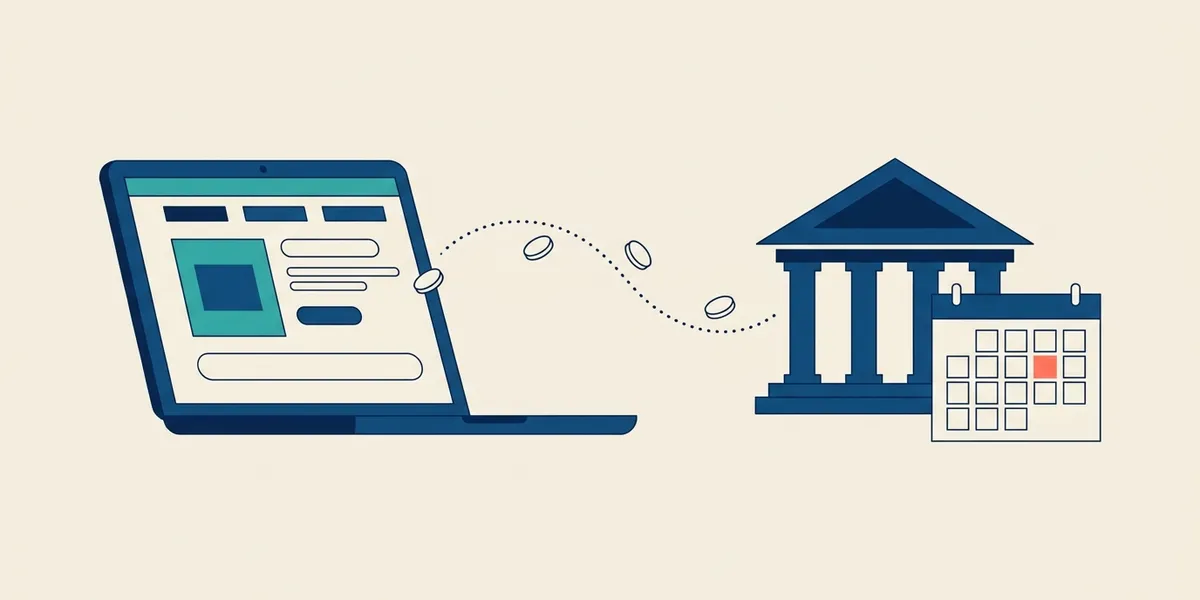
You launch a Notion template on Gumroad on a Saturday. By Monday, forty people have bought it, the dashboard shows a healthy dollar balance, and you go looking for the button that sends the money to your bank in India. There isn't one. Gumroad decides when you get paid, in which currency, and how much has to build up first.
Gumroad's help centre answers most of this, but the rules are spread across several articles and India comes up only in passing. This guide pulls together what applies to an Indian seller, as Gumroad published it when we checked in November 2026, and flags what to confirm in your own payout settings.
How Gumroad pays Indian sellers
Gumroad pays Indian creators by direct deposit to an Indian bank account, in rupees. Its list of bank payout countries shows India with INR as the payout currency, and Gumroad says it can only pay out to a local bank account in your local currency. You cannot ask for the payout in US dollars.
There is no Payoneer, Wise or wire option either. Gumroad says it does not support alternative payout modes such as Payoneer, Wise, cheques or wire transfers. PayPal payouts are reserved for countries where Gumroad cannot pay into a bank, which is not the case for India, so your bank account is the destination.
The $100 minimum and the payout schedule
You need a balance of at least $100 for a payout. Some countries carry a higher local minimum in Gumroad's country table; India does not. Below $100, the balance simply waits until it crosses the threshold.
You can choose weekly, monthly or quarterly payouts, and you can set your own threshold above $100 if you prefer fewer, larger transfers. Daily and instant payouts are limited to US creators, so they are not an option from India. You can also pause and resume payouts at any time.
On those schedules, every sale is held in your balance for at least seven days, and each payout covers sales made through the previous Friday (UTC). Bank payouts for India go out on Tuesday. From there, Gumroad says a bank payout can take two to seven business days to process, and longer around bank holidays.
In practice, a sale made on a Monday usually misses that week's payout and goes out on the following Tuesday, then spends two to seven business days with the banks. Plan your cash on a gap of roughly one to three weeks between a sale and the money in your account, not on the dashboard balance.
What Gumroad takes from each sale
Gumroad's fee on a sale through your own profile or link is 10% plus $0.50. Card processing is charged on top, at 2.9% plus $0.30, and PayPal sales carry PayPal's fees instead. A sale that comes through Gumroad's own marketplace, Discover, costs a flat 30%, which already includes processing. There are no monthly charges.
Here is what that looks like on a $20 template bought with a card, leaving out any tax added to the buyer's price:
- Price: $20.00
- Gumroad fee (10% + $0.50): $2.50
- Card processing (2.9% + $0.30): $0.88
- What you keep: $16.62
- The same sale through Discover (flat 30%): you keep $14.00
The $0.50 per sale weighs heavily on cheap products: on a $5 sale it is a tenth of the price on its own. If you sell low-priced items, a bundle or a higher price point keeps more of each sale. Once your paid sales in a calendar month reach $20,000, Gumroad drops new direct sales that month to 5% plus $0.50, automatically; the rate resets on the 1st.
How the rupee amount is worked out
Gumroad converts each sale at the exchange rate at the time of the sale, not on the day of the payout, and says these are typically mid-market rates. A payout is therefore the total of many small conversions at different rates. If the rupee moves between your sale and your payout, the payout does not move with it.
What happens after the money leaves Gumroad depends on your bank. Whether it treats the credit as a foreign inward payment, and whether it deducts anything, depends on how the payout reaches it. Check the first credit on your statement against the payout figure on your Gumroad dashboard, and ask your branch about any difference.
Getting verified without payout delays
Gumroad's payment processor is Stripe, and Stripe asks for identity details once you have been selling for a while and built up sales. For prompt payouts, Gumroad asks for a valid government-issued photo ID and proof of residence in your country, or a business registered there. It wants a colour photo or scan, with both the front and back of an ID card.
If you sell as a business, the bank account has to be in the country where the business is registered. Keep the name on the bank account identical to the name you verified with, since mismatched details can cause a payout to fail.
One trap to avoid: Gumroad warns that if you change your payout country, unpaid amounts on the old country's connected account cannot move to the new one and can be forfeited. Let any payout in progress finish before you change anything.
What to keep for your accountant
Gumroad lets you download a CSV for every payout from the Payouts dashboard, with a breakdown of its fees and the sales the payout covers. Save each one alongside the matching bank statement. Together they show what you sold, what Gumroad deducted and what reached you, which is what your accountant needs to report the income correctly.
When Gumroad is not the right rail
Gumroad works well for products a stranger buys with a card. It is a poor fit for client work: 10% plus processing on a $2,000 design retainer is a large bill for a payment your client could make by bank transfer. Many Indian creators end up running two rails, Gumroad for products and direct payments for custom work, sponsorships and consulting. It is one reason India's creator economy still has a payment problem.
If you sell software, compare how Paddle payouts to India work and the Stripe alternatives open to Indian sellers. If you want more of the direct client work, our list of top freelance websites for Indian professionals is a good place to start.
For the direct side, Winvesta's Global Collections Account gives you local USD, GBP, EUR, CAD and AUD account details, so a client abroad can pay your invoice like a domestic transfer, with a 0% forex markup on USD and free FIRA setup. It does not change how Gumroad pays you, because Gumroad only pays into an Indian bank account in rupees. Open a Global Collections Account for the clients who pay you directly.
Disclaimer: The information provided in this blog is for general informational purposes only and does not constitute financial or legal advice. Winvesta makes no representations or warranties about the accuracy or suitability of the content and recommends consulting a professional before making any financial decisions.
Get paid globally. Keep more of it.
No FX markups. No GST. Funds in 1 day.

You launch a Notion template on Gumroad on a Saturday. By Monday, forty people have bought it, the dashboard shows a healthy dollar balance, and you go looking for the button that sends the money to your bank in India. There isn't one. Gumroad decides when you get paid, in which currency, and how much has to build up first.
Gumroad's help centre answers most of this, but the rules are spread across several articles and India comes up only in passing. This guide pulls together what applies to an Indian seller, as Gumroad published it when we checked in November 2026, and flags what to confirm in your own payout settings.
How Gumroad pays Indian sellers
Gumroad pays Indian creators by direct deposit to an Indian bank account, in rupees. Its list of bank payout countries shows India with INR as the payout currency, and Gumroad says it can only pay out to a local bank account in your local currency. You cannot ask for the payout in US dollars.
There is no Payoneer, Wise or wire option either. Gumroad says it does not support alternative payout modes such as Payoneer, Wise, cheques or wire transfers. PayPal payouts are reserved for countries where Gumroad cannot pay into a bank, which is not the case for India, so your bank account is the destination.
The $100 minimum and the payout schedule
You need a balance of at least $100 for a payout. Some countries carry a higher local minimum in Gumroad's country table; India does not. Below $100, the balance simply waits until it crosses the threshold.
You can choose weekly, monthly or quarterly payouts, and you can set your own threshold above $100 if you prefer fewer, larger transfers. Daily and instant payouts are limited to US creators, so they are not an option from India. You can also pause and resume payouts at any time.
On those schedules, every sale is held in your balance for at least seven days, and each payout covers sales made through the previous Friday (UTC). Bank payouts for India go out on Tuesday. From there, Gumroad says a bank payout can take two to seven business days to process, and longer around bank holidays.
In practice, a sale made on a Monday usually misses that week's payout and goes out on the following Tuesday, then spends two to seven business days with the banks. Plan your cash on a gap of roughly one to three weeks between a sale and the money in your account, not on the dashboard balance.
What Gumroad takes from each sale
Gumroad's fee on a sale through your own profile or link is 10% plus $0.50. Card processing is charged on top, at 2.9% plus $0.30, and PayPal sales carry PayPal's fees instead. A sale that comes through Gumroad's own marketplace, Discover, costs a flat 30%, which already includes processing. There are no monthly charges.
Here is what that looks like on a $20 template bought with a card, leaving out any tax added to the buyer's price:
- Price: $20.00
- Gumroad fee (10% + $0.50): $2.50
- Card processing (2.9% + $0.30): $0.88
- What you keep: $16.62
- The same sale through Discover (flat 30%): you keep $14.00
The $0.50 per sale weighs heavily on cheap products: on a $5 sale it is a tenth of the price on its own. If you sell low-priced items, a bundle or a higher price point keeps more of each sale. Once your paid sales in a calendar month reach $20,000, Gumroad drops new direct sales that month to 5% plus $0.50, automatically; the rate resets on the 1st.
How the rupee amount is worked out
Gumroad converts each sale at the exchange rate at the time of the sale, not on the day of the payout, and says these are typically mid-market rates. A payout is therefore the total of many small conversions at different rates. If the rupee moves between your sale and your payout, the payout does not move with it.
What happens after the money leaves Gumroad depends on your bank. Whether it treats the credit as a foreign inward payment, and whether it deducts anything, depends on how the payout reaches it. Check the first credit on your statement against the payout figure on your Gumroad dashboard, and ask your branch about any difference.
Getting verified without payout delays
Gumroad's payment processor is Stripe, and Stripe asks for identity details once you have been selling for a while and built up sales. For prompt payouts, Gumroad asks for a valid government-issued photo ID and proof of residence in your country, or a business registered there. It wants a colour photo or scan, with both the front and back of an ID card.
If you sell as a business, the bank account has to be in the country where the business is registered. Keep the name on the bank account identical to the name you verified with, since mismatched details can cause a payout to fail.
One trap to avoid: Gumroad warns that if you change your payout country, unpaid amounts on the old country's connected account cannot move to the new one and can be forfeited. Let any payout in progress finish before you change anything.
What to keep for your accountant
Gumroad lets you download a CSV for every payout from the Payouts dashboard, with a breakdown of its fees and the sales the payout covers. Save each one alongside the matching bank statement. Together they show what you sold, what Gumroad deducted and what reached you, which is what your accountant needs to report the income correctly.
When Gumroad is not the right rail
Gumroad works well for products a stranger buys with a card. It is a poor fit for client work: 10% plus processing on a $2,000 design retainer is a large bill for a payment your client could make by bank transfer. Many Indian creators end up running two rails, Gumroad for products and direct payments for custom work, sponsorships and consulting. It is one reason India's creator economy still has a payment problem.
If you sell software, compare how Paddle payouts to India work and the Stripe alternatives open to Indian sellers. If you want more of the direct client work, our list of top freelance websites for Indian professionals is a good place to start.
For the direct side, Winvesta's Global Collections Account gives you local USD, GBP, EUR, CAD and AUD account details, so a client abroad can pay your invoice like a domestic transfer, with a 0% forex markup on USD and free FIRA setup. It does not change how Gumroad pays you, because Gumroad only pays into an Indian bank account in rupees. Open a Global Collections Account for the clients who pay you directly.
Disclaimer: The information provided in this blog is for general informational purposes only and does not constitute financial or legal advice. Winvesta makes no representations or warranties about the accuracy or suitability of the content and recommends consulting a professional before making any financial decisions.
Get paid globally. Keep more of it.
No FX markups. No GST. Funds in 1 day.