P0807 purpose code: Your complete guide for off-site software exports
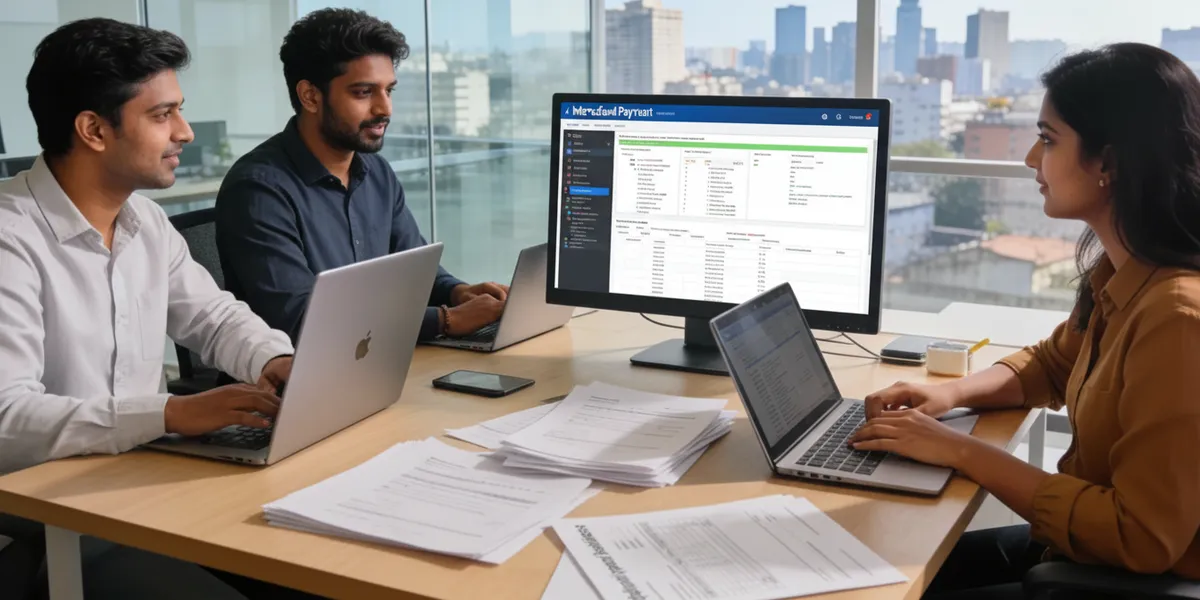
Exporting software or IT services from India? You need the P0807 purpose code. This code tells your bank and RBI that the payment you're receiving is for off-site software exports—work performed entirely in India for foreign clients.
Using the wrong code delays payments and creates compliance issues. This guide explains exactly when to use P0807, how it differs from P0802, what SOFTEX requirements apply, and how to avoid common mistakes.
What is P0807 purpose code?
P0807 is RBI's purpose code for off-site software exports. It covers payments you receive from foreign clients for software development, IT services, or technology work completed entirely in India.
The "off-site" distinction matters. You're working from India, not at the client's location abroad. Your team codes in Mumbai, Bangalore, or Pune while serving clients in the US, UK, Singapore, or anywhere else.
What P0807 covers:
Software development services: Building applications, websites, mobile apps, or custom software for overseas clients from your India office.
SaaS subscriptions: Monthly or annual recurring revenue from foreign customers using your cloud-based software.
IT project delivery: Complete project execution from India—planning, development, testing, deployment—for international clients.
Technology services: Programming, coding, database management, cloud services, or technical support delivered remotely from India.
Product development: Creating software products in India that you sell to foreign businesses or consumers.
What P0807 doesn't cover:
On-site work abroad: If your developers work at the client's office in another country, use different codes.
Non-SOFTEX services: Software consulting or implementation not filed under SOFTEX uses P0802.
Hardware services: Hardware consulting or implementation uses P0801.
Pure consulting: Management or business consulting without coding uses P1006.
The key distinction is location. Work done in India for foreign clients = P0807. Work done abroad = different codes.
Example: A Pune-based software company builds a mobile app for a London retailer. The entire development team works from Pune. The company bills £30,000 for the project. They use P0807 because all work happened in India.
When should you use P0807 purpose code?
Use P0807 when three conditions apply:
- You're providing software or IT services (not goods or other services)
- Work is performed entirely in India (off-site from client's perspective)
- You file SOFTEX with STPI/SEZ (or your work falls under SOFTEX reporting)
Scenarios where P0807 applies:
STPI/SEZ registered companies: Your company has STPI or SEZ registration and files SOFTEX forms monthly. Use P0807 for all foreign payments.
SaaS companies: You run a cloud software platform that foreign businesses subscribe to. Monthly recurring revenue from abroad uses P0807.
Remote development teams: Your developers work from Indian cities delivering projects to overseas clients. P0807 applies.
Software product sales: You sell licenses or access to software products developed in India to foreign customers. P0807 works.
IT services with SOFTEX filing: Any software export requiring SOFTEX filing falls under P0807.
When P0807 doesn't apply:
Software consulting without SOFTEX: Advisory, implementation, or consulting work not requiring SOFTEX filing uses P0802.
On-site projects: Your team travels to client locations abroad to deliver projects. Different codes apply.
Hardware-related services: Anything involving hardware uses P0801 or P0804.
Non-software services: Management consulting, marketing, design work without software component use P10 series codes.
P0807 vs other IT service codes: what's the difference?
Several purpose codes cover IT and software services. Using the right one prevents payment delays.
P0807 vs P0802
This creates the most confusion. Both involve software work for foreign clients.
P0807 (off-site software exports):
- Work covered by SOFTEX filing
- Typically used by STPI/SEZ registered entities
- Off-site delivery from India
- RBI classifies as software exports
P0802 (software consultancy/implementation):
- Work NOT covered by SOFTEX filing
- Used by non-STPI companies
- Consulting or implementation services
- RBI classifies as professional services
Decision rule: If you file SOFTEX with STPI/SEZ for the work, use P0807. If you don't file SOFTEX, use P0802.
Example 1: Company A has STPI registration and files monthly SOFTEX. They receive payment for developing an e-commerce platform for a US client. Use P0807.
Example 2: Company B is not registered with STPI. They provide software consulting services to help a European firm implement an ERP system. Use P0802.
P0807 vs P0801
P0801: Hardware consultancy or implementation P0807: Software exports from India
If your project involves both hardware and software, determine which dominates. Primarily hardware = P0801. Primarily software = P0807. For truly mixed projects, consult your bank.
P0807 vs P0803
P0803: Database services or data processing charges P0807: Complete software development or delivery
If you're only providing database management or data processing as a standalone service, P0803 fits better. If database work is part of larger software development, P0807 applies.
P0807 vs P0804
P0804: Repair and maintenance of existing software P0807: New software development or export
Maintenance contracts for existing software might use P0804. Creating new software or significant enhancements uses P0807.
P0807 vs P1006
P1006: Business and management consulting P0807: Software development services
Strategy consulting, even for tech companies, uses P1006. Actual coding and software delivery uses P0807.
SOFTEX requirements for P0807 transactions
SOFTEX (Software Export) form is mandatory for most P0807 transactions. It proves your software export to RBI and helps banks issue Foreign Inward Remittance Certificates (FIRC).
What is SOFTEX?
SOFTEX is a certification issued by STPI (Software Technology Parks of India) or SEZ authorities confirming your software exports. It documents what you exported, to whom, and for how much.
Banks require SOFTEX approval before issuing Bank Realization Certificate (BRC) for software exports. Without SOFTEX, your export proceeds remain "outstanding" in banking records.
Who needs SOFTEX?
STPI registered companies: Mandatory for all software exports SEZ units: Mandatory for all software exports Non-STPI companies: Usually exempt, but check with your bank
If you're registered with STPI or operating from SEZ, you must file SOFTEX for every foreign payment received under P0807.
SOFTEX filing process:
Step 1: Register with STPI Visit STPI office in your city and complete registration. You need company documents, PAN, IEC code, and bank details.
Step 2: Receive payment with P0807 When foreign payment arrives, bank credits your account under P0807 purpose code.
Step 3: Generate monthly SOFTEX Compile all invoices raised in a month. Create SOFTEX form on STPI portal summarizing exports.
Step 4: Submit for approval Submit SOFTEX form to STPI with supporting documents (invoices, contracts, payment proof).
Step 5: Get SOFTEX approval STPI examines your submission. If correct, they approve and certify your SOFTEX.
Step 6: Submit to bank Download approved SOFTEX and submit to your bank within 21 days of STPI certification.
Step 7: Bank issues FIRC/BRC After verifying full payment realization and approved SOFTEX, bank issues Foreign Inward Remittance Certificate.
SOFTEX filing timeline:
- File SOFTEX within 30 days from last invoice date of the month
- Submit approved SOFTEX to bank within 21 days of STPI certification
- Export realization should happen within 180 days of invoice date (FEMA requirement)
Documents needed for SOFTEX:
For SOFTEX filing:
- Monthly invoice summary (all foreign invoices)
- Client purchase orders or contracts
- Export documentation
- Payment realization proof
For bank submission:
- STPI-approved SOFTEX form
- All invoices covered under SOFTEX
- Foreign inward remittance message (FIRM)
- Any additional bank requirements
What if you don't file SOFTEX?
If SOFTEX is mandatory for your business but you don't file:
- Bank marks export proceeds as "outstanding"
- Cannot get FIRC/BRC
- RBI may take action for non-compliance
- Delays in GST refunds or export benefits
- Potential FEMA violations and penalties
Documents required for P0807 transactions
Banks verify P0807 transactions before processing. Keep these documents ready:
Core documents (always required):
Commercial invoice Detailed invoice showing services provided, client details, amount, and payment terms. Must clearly indicate "software services" or "IT services."
Service contract or Statement of Work (SOW) Written agreement with foreign client specifying scope, deliverables, timeline, and payment structure.
SWIFT/bank payment advice Proof that payment arrived from foreign client. Confirms transaction amount.
IEC (Import Export Code) Your business registration for international trade. Required for all service exports.
Additional documents banks may request:
SOFTEX certification If you're STPI/SEZ registered, bank requires SOFTEX approval before issuing FIRC.
Export invoice declaration Some banks ask for written declaration that the invoice represents software export services.
GST registration certificate Proves your business is registered for indirect tax compliance.
Client confirmation letter Foreign client confirming services received and payment made.
Delivery proof Documentation showing service delivery—project completion report, client acceptance, or deployment confirmation.
Documents to explicitly note SOFTEX status:
In your invoice and SOW, include clear statements:
- If SOFTEX applies: "This service export is covered under SOFTEX filing with STPI"
- If SOFTEX doesn't apply: "This service is not covered under SOFTEX form" (in which case, use P0802 instead)
Banks look for this clarity to assign the correct purpose code.
Tips for documentation:
Be specific: Clearly describe software services rendered. Vague descriptions like "professional services" create questions.
Match amounts: Invoice amount, contract value, and received payment should align. Explain any discrepancies upfront.
Keep digital copies: Scan and store all documents. Banks often request them repeatedly.
Maintain chronology: Ensure dates follow logical sequence—contract before invoice before payment.
Track currency: Note if amounts are in different currencies and conversion rates applied.
How to use P0807 purpose code: step-by-step process
Step 1: Confirm SOFTEX applicability
Before anything else, determine if your work requires SOFTEX filing:
- Are you STPI/SEZ registered? If yes, SOFTEX is mandatory
- Is this software export from India? If yes and SOFTEX applies, use P0807
- If no SOFTEX requirement, consider P0802 instead
Step 2: Finalize service agreement
Sign clear contract with foreign client specifying:
- Scope of software/IT services
- Project deliverables and timeline
- Total project value
- Payment schedule and method
- Confirmation work is performed in India
Step 3: Create detailed invoice
Issue commercial invoice showing:
- "Software Development Services" or "IT Services Export" header
- Detailed service description
- Client details (company name, address, country)
- Your business details and IEC code
- Invoice amount and currency
- Payment terms
- Note if SOFTEX-applicable or not
Step 4: Share P0807 code with client
Inform your foreign client to use P0807 as purpose code when sending payment.
Send them:
- Purpose code: P0807
- Your bank account details
- Invoice reference
- Expected payment amount and currency
Many international payment platforms require purpose code during transfer setup. Providing this upfront prevents delays.
Step 5: Inform your bank
Before payment arrives, notify your bank:
- Expecting payment for software exports
- Amount and currency
- Purpose code is P0807
- Confirm SOFTEX status
Attach:
- Service contract or SOW
- Commercial invoice
- Client confirmation (if available)
Step 6: Receive payment
Foreign payment arrives in your account. Bank credits amount under P0807 classification.
Verify:
- Correct amount received (after forex conversion and charges)
- Purpose code shows as P0807 in bank statement
- Foreign Inward Remittance Message (FIRM) generated
Step 7: File SOFTEX (if applicable)
If you're STPI/SEZ registered:
- Compile this invoice with all month's foreign invoices
- Create SOFTEX form on STPI portal
- Submit for STPI approval
- Download approved SOFTEX
Step 8: Submit SOFTEX to bank (if applicable)
After STPI approves SOFTEX:
- Submit approved SOFTEX to bank within 21 days
- Include supporting invoices and payment proof
- Bank verifies and updates export realization status
Step 9: Obtain FIRC/eBRC
After bank verifies everything:
- Request Foreign Inward Remittance Certificate (FIRC)
- Or generate electronic Bank Realization Certificate (eBRC) through DGFT portal
- Use FIRC/eBRC for GST refunds and export benefits
P0807 and eBRC generation: what IT exporters need to know
Electronic Bank Realization Certificate (eBRC) proves you received payment for exports. IT service exporters need eBRC for GST refunds, export incentives, and compliance.
P0807 rules for eBRC generation:
P0807 can generate eBRC as standalone You don't need to club P0807 with other codes. It works independently for eBRC generation.
Only specific IT codes work for eBRC For Services > IT category, only three purpose codes generate eBRC:
- P0802 (Software consultancy/implementation without SOFTEX)
- P0803 (Database and data processing)
- P0807 (Off-site software exports)
Other IT-related codes don't qualify for eBRC generation.
P0807 can club with P0103 If you receive advance payment for goods along with software services, you can club P0103 (advance payment) with P0807 in a single eBRC.
Example: You're exporting custom hardware with embedded software. Client sends advance payment covering both. Use P0103 + P0807 clubbed.
Same currency requirement Cannot club inward remittances in different currencies. All IRMs must be same currency for clubbing.
SAC code matching For service exports, invoices must have SAC (Services Accounting Code) matching the service description. eBRC system auto-checks this.
How to generate eBRC with P0807:
Step 1: Ensure bank uploaded IRM Banks report Inward Remittance Messages to DGFT. Verify your bank uploaded the IRM for your P0807 payment.
Step 2: Log into DGFT portal Access DGFT website with your IEC credentials.
Step 3: Navigate to eBRC section Go to eBRC generation module.
Step 4: View available IRMs System shows IRMs uploaded by banks against your IEC.
Step 5: Select P0807 IRM Choose the inward remittance for which you want eBRC.
Step 6: Map to invoice/SOFTEX Attach your service invoice or SOFTEX documentation to the IRM.
Step 7: Verify details Check all details—amount, currency, date, purpose code.
Step 8: Generate eBRC Submit for eBRC generation. System creates electronic certificate.
Step 9: Download eBRC Download generated eBRC for your records and GST filing.
Common eBRC issues with P0807:
SAC code mismatch Your invoice SAC doesn't match P0807 service description. Fix: Ensure correct SAC codes on invoices.
SOFTEX not filed Bank shows export as outstanding because SOFTEX not submitted. Fix: File and submit SOFTEX before generating eBRC.
IRM not visible Bank hasn't uploaded IRM to DGFT. Fix: Contact bank to upload IRM data.
Currency issues Trying to club IRMs in different currencies. Fix: Generate separate eBRCs for each currency.
Common mistakes with P0807 and how to avoid them

Mistake 1: Using P0807 for non-software services
The error: A consulting firm provides business strategy advice to foreign client and uses P0807.
Why it's wrong: P0807 is only for software/IT services. Pure consulting uses P1006.
The fix: Use P0807 only when delivering software, code, or IT services. Advisory work without software component needs different codes.
Mistake 2: Using P0807 without SOFTEX when required
The error: STPI-registered company receives payment, uses P0807, but doesn't file SOFTEX.
Why it's wrong: STPI/SEZ registration makes SOFTEX mandatory. Without SOFTEX, bank cannot close export realization.
The fix: If registered with STPI/SEZ, always file SOFTEX for P0807 payments. Submit approved SOFTEX to bank within deadlines.
Mistake 3: Confusing P0807 with P0802
The error: Non-STPI company uses P0807 for software consulting work.
Why it's wrong: P0807 is for SOFTEX-covered exports. Non-SOFTEX software work uses P0802.
The fix: Check your SOFTEX filing requirement. SOFTEX = P0807. No SOFTEX = P0802.
Mistake 4: Using P0807 for on-site projects
The error: Developer travels to client's US office to work on-site for three months. Company uses P0807 for payment.
Why it's wrong: P0807 is for off-site work performed in India. On-site work abroad needs different classification.
The fix: Use P0807 only for work performed in India. On-site projects require separate purpose codes and documentation.
Mistake 5: Missing SOFTEX filing deadlines
The error: Company files SOFTEX 45 days after last invoice date, misses the 30-day deadline.
Why it's wrong: Late SOFTEX filing violates compliance timelines and delays BRC issuance.
The fix: Set calendar reminders. File SOFTEX within 30 days of month's last invoice. Submit to bank within 21 days of STPI approval.
Mistake 6: Incomplete service description
The error: Invoice says "Professional Services – $50,000" without specifying it's software development.
Why it's wrong: Vague descriptions make banks question the correct purpose code.
The fix: Be specific. Write "Custom Software Development Services" or "SaaS Platform Subscription" so banks clearly see it's P0807-eligible.
Mistake 7: Not informing client about purpose code
The error: Company assumes client knows the purpose code. Client sends money with wrong code.
Why it's wrong: Wrong purpose code delays payment processing by weeks.
The fix: Always include purpose code in payment instructions. Email client: "Please use purpose code P0807 when sending payment."
Mistake 8: Mixing hardware and software without clarity
The error: Company delivers both hardware and software, uses P0807 for entire payment.
Why it's wrong: Hardware sales need different codes (P0101 or similar). Software uses P0807.
The fix: Split invoices clearly—hardware portion separate from software portion. Use appropriate codes for each.
What happens if you use the wrong purpose code?
Using incorrect purpose codes creates serious problems. Here's what goes wrong:
Immediate consequences:
Payment stuck in limbo Bank places transaction on hold pending verification. Your money sits in suspense account instead of your business account.
Timeline: 5-10 business days minimum, often longer.
Compliance team scrutiny Bank's compliance department contacts you for explanation. You must provide detailed documentation justifying the payment.
Timeline: Adds 7-14 days to resolution process.
Payment returned to sender In severe mismatches, bank rejects transaction entirely. Money goes back to foreign client.
Timeline: 10-21 days for reversal, then restart with correct code.
Client frustration Your foreign client gets payment returned or delayed. Creates business relationship problems.
Impact: Client may question your professionalism or doubt future transactions.
Long-term compliance issues:
FEMA violation flags Repeated incorrect codes trigger regulatory alerts. Your business gets flagged for closer monitoring.
Impact: Future transactions face enhanced verification, slowing all payments.
SOFTEX filing problems Wrong code means SOFTEX filing doesn't match bank records. Creates reconciliation nightmares.
Impact: Cannot close export obligations properly. Outstanding exports show in RBI systems.
eBRC generation blocks Purpose code mismatch prevents eBRC generation. Cannot claim GST refunds or export incentives.
Impact: Lose export benefits worth thousands or lakhs in refunds.
Audit complications Tax audits or RBI inspections reveal purpose code mismatches. Auditors flag these as compliance gaps.
Impact: Additional scrutiny, potential fines, extensive documentation requests.
Real business impact:
Consider a ₹30 lakh software export payment with wrong purpose code:
- Payment delayed 3 weeks = missed payroll or vendor payments
- Staff time fixing issue = 15-20 hours across finance and compliance
- Opportunity cost = delayed next phase of project
- GST refund stuck = ₹5-6 lakh capital locked up
- Client relationship strain = potential future business loss
How to fix wrong purpose code:
Step 1: Contact bank immediately Don't wait. Call your relationship manager the moment you notice the error.
Step 2: Submit correction request Provide written explanation of correct purpose code with full justification.
Step 3: Provide complete documentation Submit all documents proving correct classification:
- For P0807: service contract, invoice, SOFTEX status, client confirmation
- Show clearly this is software export from India
Step 4: Request expedited review Explain business urgency if applicable. Ask for priority processing.
Step 5: Follow up daily Stay in touch until resolved. Check status every 24 hours.
Step 6: Learn and prevent Create internal checklist. Train team on purpose code selection.
Prevention strategies:
Verify before payment: Confirm the purpose code with the bank before instructing the client to pay.
Maintain code reference: Keep the RBI purpose code list accessible. Mark codes relevant to your business.
Document clearly: Every invoice should explicitly state the service type and applicable purpose code.
Train your team: Ensure finance and accounts staff understand purpose code requirements.
Use bank guidance: Most banks help clients select codes proactively. Ask for assistance upfront.
Disclaimer: The information provided in this blog is for general informational purposes only and does not constitute financial or legal advice. Winvesta makes no representations or warranties about the accuracy or suitability of the content and recommends consulting a professional before making any financial decisions.
Get paid globally. Keep more of it.
No FX markups. No GST. Funds in 1 day.

Table of Contents
Exporting software or IT services from India? You need the P0807 purpose code. This code tells your bank and RBI that the payment you're receiving is for off-site software exports—work performed entirely in India for foreign clients.
Using the wrong code delays payments and creates compliance issues. This guide explains exactly when to use P0807, how it differs from P0802, what SOFTEX requirements apply, and how to avoid common mistakes.
What is P0807 purpose code?
P0807 is RBI's purpose code for off-site software exports. It covers payments you receive from foreign clients for software development, IT services, or technology work completed entirely in India.
The "off-site" distinction matters. You're working from India, not at the client's location abroad. Your team codes in Mumbai, Bangalore, or Pune while serving clients in the US, UK, Singapore, or anywhere else.
What P0807 covers:
Software development services: Building applications, websites, mobile apps, or custom software for overseas clients from your India office.
SaaS subscriptions: Monthly or annual recurring revenue from foreign customers using your cloud-based software.
IT project delivery: Complete project execution from India—planning, development, testing, deployment—for international clients.
Technology services: Programming, coding, database management, cloud services, or technical support delivered remotely from India.
Product development: Creating software products in India that you sell to foreign businesses or consumers.
What P0807 doesn't cover:
On-site work abroad: If your developers work at the client's office in another country, use different codes.
Non-SOFTEX services: Software consulting or implementation not filed under SOFTEX uses P0802.
Hardware services: Hardware consulting or implementation uses P0801.
Pure consulting: Management or business consulting without coding uses P1006.
The key distinction is location. Work done in India for foreign clients = P0807. Work done abroad = different codes.
Example: A Pune-based software company builds a mobile app for a London retailer. The entire development team works from Pune. The company bills £30,000 for the project. They use P0807 because all work happened in India.
When should you use P0807 purpose code?
Use P0807 when three conditions apply:
- You're providing software or IT services (not goods or other services)
- Work is performed entirely in India (off-site from client's perspective)
- You file SOFTEX with STPI/SEZ (or your work falls under SOFTEX reporting)
Scenarios where P0807 applies:
STPI/SEZ registered companies: Your company has STPI or SEZ registration and files SOFTEX forms monthly. Use P0807 for all foreign payments.
SaaS companies: You run a cloud software platform that foreign businesses subscribe to. Monthly recurring revenue from abroad uses P0807.
Remote development teams: Your developers work from Indian cities delivering projects to overseas clients. P0807 applies.
Software product sales: You sell licenses or access to software products developed in India to foreign customers. P0807 works.
IT services with SOFTEX filing: Any software export requiring SOFTEX filing falls under P0807.
When P0807 doesn't apply:
Software consulting without SOFTEX: Advisory, implementation, or consulting work not requiring SOFTEX filing uses P0802.
On-site projects: Your team travels to client locations abroad to deliver projects. Different codes apply.
Hardware-related services: Anything involving hardware uses P0801 or P0804.
Non-software services: Management consulting, marketing, design work without software component use P10 series codes.
P0807 vs other IT service codes: what's the difference?
Several purpose codes cover IT and software services. Using the right one prevents payment delays.
P0807 vs P0802
This creates the most confusion. Both involve software work for foreign clients.
P0807 (off-site software exports):
- Work covered by SOFTEX filing
- Typically used by STPI/SEZ registered entities
- Off-site delivery from India
- RBI classifies as software exports
P0802 (software consultancy/implementation):
- Work NOT covered by SOFTEX filing
- Used by non-STPI companies
- Consulting or implementation services
- RBI classifies as professional services
Decision rule: If you file SOFTEX with STPI/SEZ for the work, use P0807. If you don't file SOFTEX, use P0802.
Example 1: Company A has STPI registration and files monthly SOFTEX. They receive payment for developing an e-commerce platform for a US client. Use P0807.
Example 2: Company B is not registered with STPI. They provide software consulting services to help a European firm implement an ERP system. Use P0802.
P0807 vs P0801
P0801: Hardware consultancy or implementation P0807: Software exports from India
If your project involves both hardware and software, determine which dominates. Primarily hardware = P0801. Primarily software = P0807. For truly mixed projects, consult your bank.
P0807 vs P0803
P0803: Database services or data processing charges P0807: Complete software development or delivery
If you're only providing database management or data processing as a standalone service, P0803 fits better. If database work is part of larger software development, P0807 applies.
P0807 vs P0804
P0804: Repair and maintenance of existing software P0807: New software development or export
Maintenance contracts for existing software might use P0804. Creating new software or significant enhancements uses P0807.
P0807 vs P1006
P1006: Business and management consulting P0807: Software development services
Strategy consulting, even for tech companies, uses P1006. Actual coding and software delivery uses P0807.
SOFTEX requirements for P0807 transactions
SOFTEX (Software Export) form is mandatory for most P0807 transactions. It proves your software export to RBI and helps banks issue Foreign Inward Remittance Certificates (FIRC).
What is SOFTEX?
SOFTEX is a certification issued by STPI (Software Technology Parks of India) or SEZ authorities confirming your software exports. It documents what you exported, to whom, and for how much.
Banks require SOFTEX approval before issuing Bank Realization Certificate (BRC) for software exports. Without SOFTEX, your export proceeds remain "outstanding" in banking records.
Who needs SOFTEX?
STPI registered companies: Mandatory for all software exports SEZ units: Mandatory for all software exports Non-STPI companies: Usually exempt, but check with your bank
If you're registered with STPI or operating from SEZ, you must file SOFTEX for every foreign payment received under P0807.
SOFTEX filing process:
Step 1: Register with STPI Visit STPI office in your city and complete registration. You need company documents, PAN, IEC code, and bank details.
Step 2: Receive payment with P0807 When foreign payment arrives, bank credits your account under P0807 purpose code.
Step 3: Generate monthly SOFTEX Compile all invoices raised in a month. Create SOFTEX form on STPI portal summarizing exports.
Step 4: Submit for approval Submit SOFTEX form to STPI with supporting documents (invoices, contracts, payment proof).
Step 5: Get SOFTEX approval STPI examines your submission. If correct, they approve and certify your SOFTEX.
Step 6: Submit to bank Download approved SOFTEX and submit to your bank within 21 days of STPI certification.
Step 7: Bank issues FIRC/BRC After verifying full payment realization and approved SOFTEX, bank issues Foreign Inward Remittance Certificate.
SOFTEX filing timeline:
- File SOFTEX within 30 days from last invoice date of the month
- Submit approved SOFTEX to bank within 21 days of STPI certification
- Export realization should happen within 180 days of invoice date (FEMA requirement)
Documents needed for SOFTEX:
For SOFTEX filing:
- Monthly invoice summary (all foreign invoices)
- Client purchase orders or contracts
- Export documentation
- Payment realization proof
For bank submission:
- STPI-approved SOFTEX form
- All invoices covered under SOFTEX
- Foreign inward remittance message (FIRM)
- Any additional bank requirements
What if you don't file SOFTEX?
If SOFTEX is mandatory for your business but you don't file:
- Bank marks export proceeds as "outstanding"
- Cannot get FIRC/BRC
- RBI may take action for non-compliance
- Delays in GST refunds or export benefits
- Potential FEMA violations and penalties
Documents required for P0807 transactions
Banks verify P0807 transactions before processing. Keep these documents ready:
Core documents (always required):
Commercial invoice Detailed invoice showing services provided, client details, amount, and payment terms. Must clearly indicate "software services" or "IT services."
Service contract or Statement of Work (SOW) Written agreement with foreign client specifying scope, deliverables, timeline, and payment structure.
SWIFT/bank payment advice Proof that payment arrived from foreign client. Confirms transaction amount.
IEC (Import Export Code) Your business registration for international trade. Required for all service exports.
Additional documents banks may request:
SOFTEX certification If you're STPI/SEZ registered, bank requires SOFTEX approval before issuing FIRC.
Export invoice declaration Some banks ask for written declaration that the invoice represents software export services.
GST registration certificate Proves your business is registered for indirect tax compliance.
Client confirmation letter Foreign client confirming services received and payment made.
Delivery proof Documentation showing service delivery—project completion report, client acceptance, or deployment confirmation.
Documents to explicitly note SOFTEX status:
In your invoice and SOW, include clear statements:
- If SOFTEX applies: "This service export is covered under SOFTEX filing with STPI"
- If SOFTEX doesn't apply: "This service is not covered under SOFTEX form" (in which case, use P0802 instead)
Banks look for this clarity to assign the correct purpose code.
Tips for documentation:
Be specific: Clearly describe software services rendered. Vague descriptions like "professional services" create questions.
Match amounts: Invoice amount, contract value, and received payment should align. Explain any discrepancies upfront.
Keep digital copies: Scan and store all documents. Banks often request them repeatedly.
Maintain chronology: Ensure dates follow logical sequence—contract before invoice before payment.
Track currency: Note if amounts are in different currencies and conversion rates applied.
How to use P0807 purpose code: step-by-step process
Step 1: Confirm SOFTEX applicability
Before anything else, determine if your work requires SOFTEX filing:
- Are you STPI/SEZ registered? If yes, SOFTEX is mandatory
- Is this software export from India? If yes and SOFTEX applies, use P0807
- If no SOFTEX requirement, consider P0802 instead
Step 2: Finalize service agreement
Sign clear contract with foreign client specifying:
- Scope of software/IT services
- Project deliverables and timeline
- Total project value
- Payment schedule and method
- Confirmation work is performed in India
Step 3: Create detailed invoice
Issue commercial invoice showing:
- "Software Development Services" or "IT Services Export" header
- Detailed service description
- Client details (company name, address, country)
- Your business details and IEC code
- Invoice amount and currency
- Payment terms
- Note if SOFTEX-applicable or not
Step 4: Share P0807 code with client
Inform your foreign client to use P0807 as purpose code when sending payment.
Send them:
- Purpose code: P0807
- Your bank account details
- Invoice reference
- Expected payment amount and currency
Many international payment platforms require purpose code during transfer setup. Providing this upfront prevents delays.
Step 5: Inform your bank
Before payment arrives, notify your bank:
- Expecting payment for software exports
- Amount and currency
- Purpose code is P0807
- Confirm SOFTEX status
Attach:
- Service contract or SOW
- Commercial invoice
- Client confirmation (if available)
Step 6: Receive payment
Foreign payment arrives in your account. Bank credits amount under P0807 classification.
Verify:
- Correct amount received (after forex conversion and charges)
- Purpose code shows as P0807 in bank statement
- Foreign Inward Remittance Message (FIRM) generated
Step 7: File SOFTEX (if applicable)
If you're STPI/SEZ registered:
- Compile this invoice with all month's foreign invoices
- Create SOFTEX form on STPI portal
- Submit for STPI approval
- Download approved SOFTEX
Step 8: Submit SOFTEX to bank (if applicable)
After STPI approves SOFTEX:
- Submit approved SOFTEX to bank within 21 days
- Include supporting invoices and payment proof
- Bank verifies and updates export realization status
Step 9: Obtain FIRC/eBRC
After bank verifies everything:
- Request Foreign Inward Remittance Certificate (FIRC)
- Or generate electronic Bank Realization Certificate (eBRC) through DGFT portal
- Use FIRC/eBRC for GST refunds and export benefits
P0807 and eBRC generation: what IT exporters need to know
Electronic Bank Realization Certificate (eBRC) proves you received payment for exports. IT service exporters need eBRC for GST refunds, export incentives, and compliance.
P0807 rules for eBRC generation:
P0807 can generate eBRC as standalone You don't need to club P0807 with other codes. It works independently for eBRC generation.
Only specific IT codes work for eBRC For Services > IT category, only three purpose codes generate eBRC:
- P0802 (Software consultancy/implementation without SOFTEX)
- P0803 (Database and data processing)
- P0807 (Off-site software exports)
Other IT-related codes don't qualify for eBRC generation.
P0807 can club with P0103 If you receive advance payment for goods along with software services, you can club P0103 (advance payment) with P0807 in a single eBRC.
Example: You're exporting custom hardware with embedded software. Client sends advance payment covering both. Use P0103 + P0807 clubbed.
Same currency requirement Cannot club inward remittances in different currencies. All IRMs must be same currency for clubbing.
SAC code matching For service exports, invoices must have SAC (Services Accounting Code) matching the service description. eBRC system auto-checks this.
How to generate eBRC with P0807:
Step 1: Ensure bank uploaded IRM Banks report Inward Remittance Messages to DGFT. Verify your bank uploaded the IRM for your P0807 payment.
Step 2: Log into DGFT portal Access DGFT website with your IEC credentials.
Step 3: Navigate to eBRC section Go to eBRC generation module.
Step 4: View available IRMs System shows IRMs uploaded by banks against your IEC.
Step 5: Select P0807 IRM Choose the inward remittance for which you want eBRC.
Step 6: Map to invoice/SOFTEX Attach your service invoice or SOFTEX documentation to the IRM.
Step 7: Verify details Check all details—amount, currency, date, purpose code.
Step 8: Generate eBRC Submit for eBRC generation. System creates electronic certificate.
Step 9: Download eBRC Download generated eBRC for your records and GST filing.
Common eBRC issues with P0807:
SAC code mismatch Your invoice SAC doesn't match P0807 service description. Fix: Ensure correct SAC codes on invoices.
SOFTEX not filed Bank shows export as outstanding because SOFTEX not submitted. Fix: File and submit SOFTEX before generating eBRC.
IRM not visible Bank hasn't uploaded IRM to DGFT. Fix: Contact bank to upload IRM data.
Currency issues Trying to club IRMs in different currencies. Fix: Generate separate eBRCs for each currency.
Common mistakes with P0807 and how to avoid them
Mistake 1: Using P0807 for non-software services
The error: A consulting firm provides business strategy advice to foreign client and uses P0807.
Why it's wrong: P0807 is only for software/IT services. Pure consulting uses P1006.
The fix: Use P0807 only when delivering software, code, or IT services. Advisory work without software component needs different codes.
Mistake 2: Using P0807 without SOFTEX when required
The error: STPI-registered company receives payment, uses P0807, but doesn't file SOFTEX.
Why it's wrong: STPI/SEZ registration makes SOFTEX mandatory. Without SOFTEX, bank cannot close export realization.
The fix: If registered with STPI/SEZ, always file SOFTEX for P0807 payments. Submit approved SOFTEX to bank within deadlines.
Mistake 3: Confusing P0807 with P0802
The error: Non-STPI company uses P0807 for software consulting work.
Why it's wrong: P0807 is for SOFTEX-covered exports. Non-SOFTEX software work uses P0802.
The fix: Check your SOFTEX filing requirement. SOFTEX = P0807. No SOFTEX = P0802.
Mistake 4: Using P0807 for on-site projects
The error: Developer travels to client's US office to work on-site for three months. Company uses P0807 for payment.
Why it's wrong: P0807 is for off-site work performed in India. On-site work abroad needs different classification.
The fix: Use P0807 only for work performed in India. On-site projects require separate purpose codes and documentation.
Mistake 5: Missing SOFTEX filing deadlines
The error: Company files SOFTEX 45 days after last invoice date, misses the 30-day deadline.
Why it's wrong: Late SOFTEX filing violates compliance timelines and delays BRC issuance.
The fix: Set calendar reminders. File SOFTEX within 30 days of month's last invoice. Submit to bank within 21 days of STPI approval.
Mistake 6: Incomplete service description
The error: Invoice says "Professional Services – $50,000" without specifying it's software development.
Why it's wrong: Vague descriptions make banks question the correct purpose code.
The fix: Be specific. Write "Custom Software Development Services" or "SaaS Platform Subscription" so banks clearly see it's P0807-eligible.
Mistake 7: Not informing client about purpose code
The error: Company assumes client knows the purpose code. Client sends money with wrong code.
Why it's wrong: Wrong purpose code delays payment processing by weeks.
The fix: Always include purpose code in payment instructions. Email client: "Please use purpose code P0807 when sending payment."
Mistake 8: Mixing hardware and software without clarity
The error: Company delivers both hardware and software, uses P0807 for entire payment.
Why it's wrong: Hardware sales need different codes (P0101 or similar). Software uses P0807.
The fix: Split invoices clearly—hardware portion separate from software portion. Use appropriate codes for each.
What happens if you use the wrong purpose code?
Using incorrect purpose codes creates serious problems. Here's what goes wrong:
Immediate consequences:
Payment stuck in limbo Bank places transaction on hold pending verification. Your money sits in suspense account instead of your business account.
Timeline: 5-10 business days minimum, often longer.
Compliance team scrutiny Bank's compliance department contacts you for explanation. You must provide detailed documentation justifying the payment.
Timeline: Adds 7-14 days to resolution process.
Payment returned to sender In severe mismatches, bank rejects transaction entirely. Money goes back to foreign client.
Timeline: 10-21 days for reversal, then restart with correct code.
Client frustration Your foreign client gets payment returned or delayed. Creates business relationship problems.
Impact: Client may question your professionalism or doubt future transactions.
Long-term compliance issues:
FEMA violation flags Repeated incorrect codes trigger regulatory alerts. Your business gets flagged for closer monitoring.
Impact: Future transactions face enhanced verification, slowing all payments.
SOFTEX filing problems Wrong code means SOFTEX filing doesn't match bank records. Creates reconciliation nightmares.
Impact: Cannot close export obligations properly. Outstanding exports show in RBI systems.
eBRC generation blocks Purpose code mismatch prevents eBRC generation. Cannot claim GST refunds or export incentives.
Impact: Lose export benefits worth thousands or lakhs in refunds.
Audit complications Tax audits or RBI inspections reveal purpose code mismatches. Auditors flag these as compliance gaps.
Impact: Additional scrutiny, potential fines, extensive documentation requests.
Real business impact:
Consider a ₹30 lakh software export payment with wrong purpose code:
- Payment delayed 3 weeks = missed payroll or vendor payments
- Staff time fixing issue = 15-20 hours across finance and compliance
- Opportunity cost = delayed next phase of project
- GST refund stuck = ₹5-6 lakh capital locked up
- Client relationship strain = potential future business loss
How to fix wrong purpose code:
Step 1: Contact bank immediately Don't wait. Call your relationship manager the moment you notice the error.
Step 2: Submit correction request Provide written explanation of correct purpose code with full justification.
Step 3: Provide complete documentation Submit all documents proving correct classification:
- For P0807: service contract, invoice, SOFTEX status, client confirmation
- Show clearly this is software export from India
Step 4: Request expedited review Explain business urgency if applicable. Ask for priority processing.
Step 5: Follow up daily Stay in touch until resolved. Check status every 24 hours.
Step 6: Learn and prevent Create internal checklist. Train team on purpose code selection.
Prevention strategies:
Verify before payment: Confirm the purpose code with the bank before instructing the client to pay.
Maintain code reference: Keep the RBI purpose code list accessible. Mark codes relevant to your business.
Document clearly: Every invoice should explicitly state the service type and applicable purpose code.
Train your team: Ensure finance and accounts staff understand purpose code requirements.
Use bank guidance: Most banks help clients select codes proactively. Ask for assistance upfront.
Disclaimer: The information provided in this blog is for general informational purposes only and does not constitute financial or legal advice. Winvesta makes no representations or warranties about the accuracy or suitability of the content and recommends consulting a professional before making any financial decisions.
Get paid globally. Keep more of it.
No FX markups. No GST. Funds in 1 day.


